Share shopper insights. Keep control of your data.
Give suppliers the insights they need to understand performance, spot opportunities and grow with you.
You decide what each partner can see.
A supplier with an invitation? Sign in to see your sales
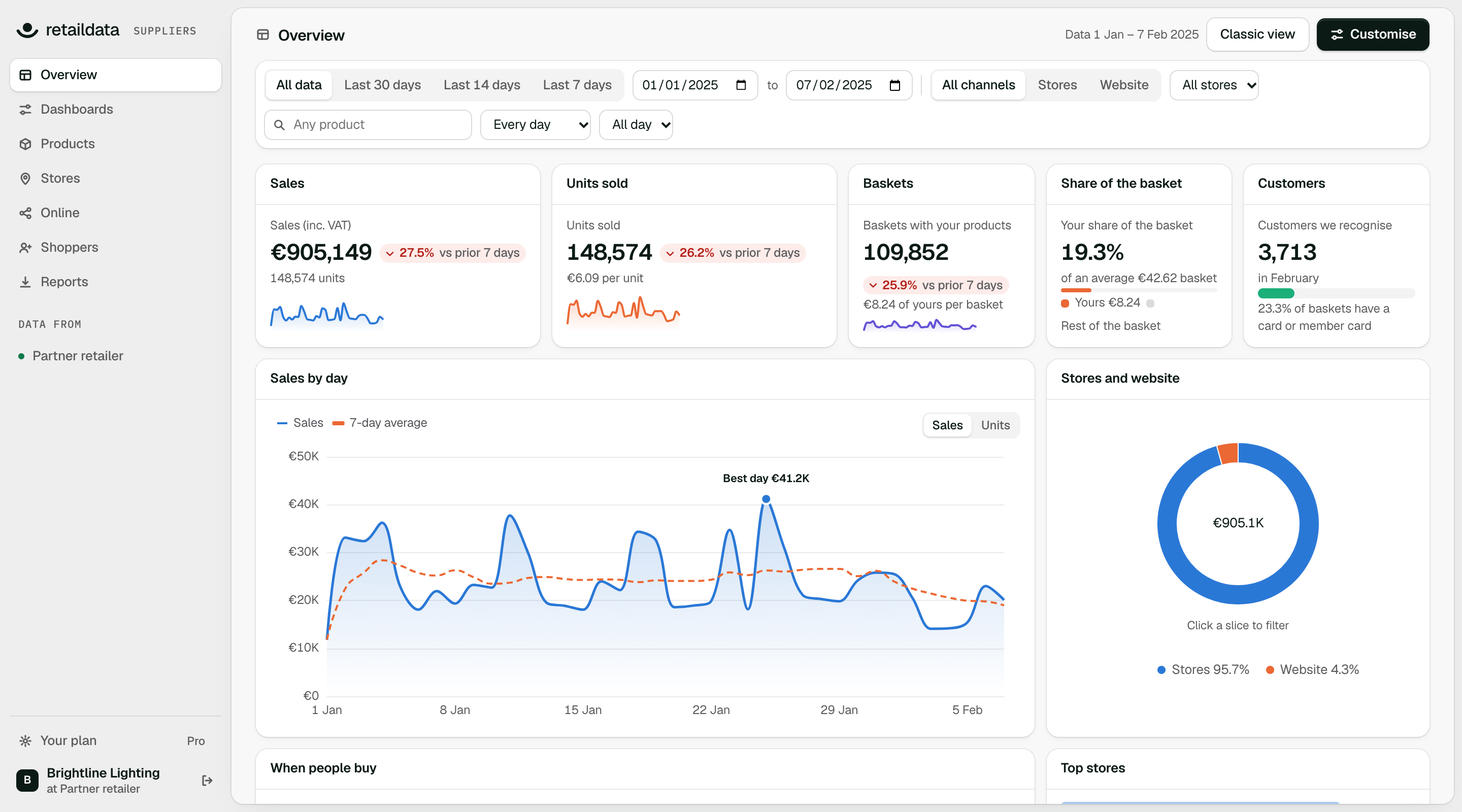
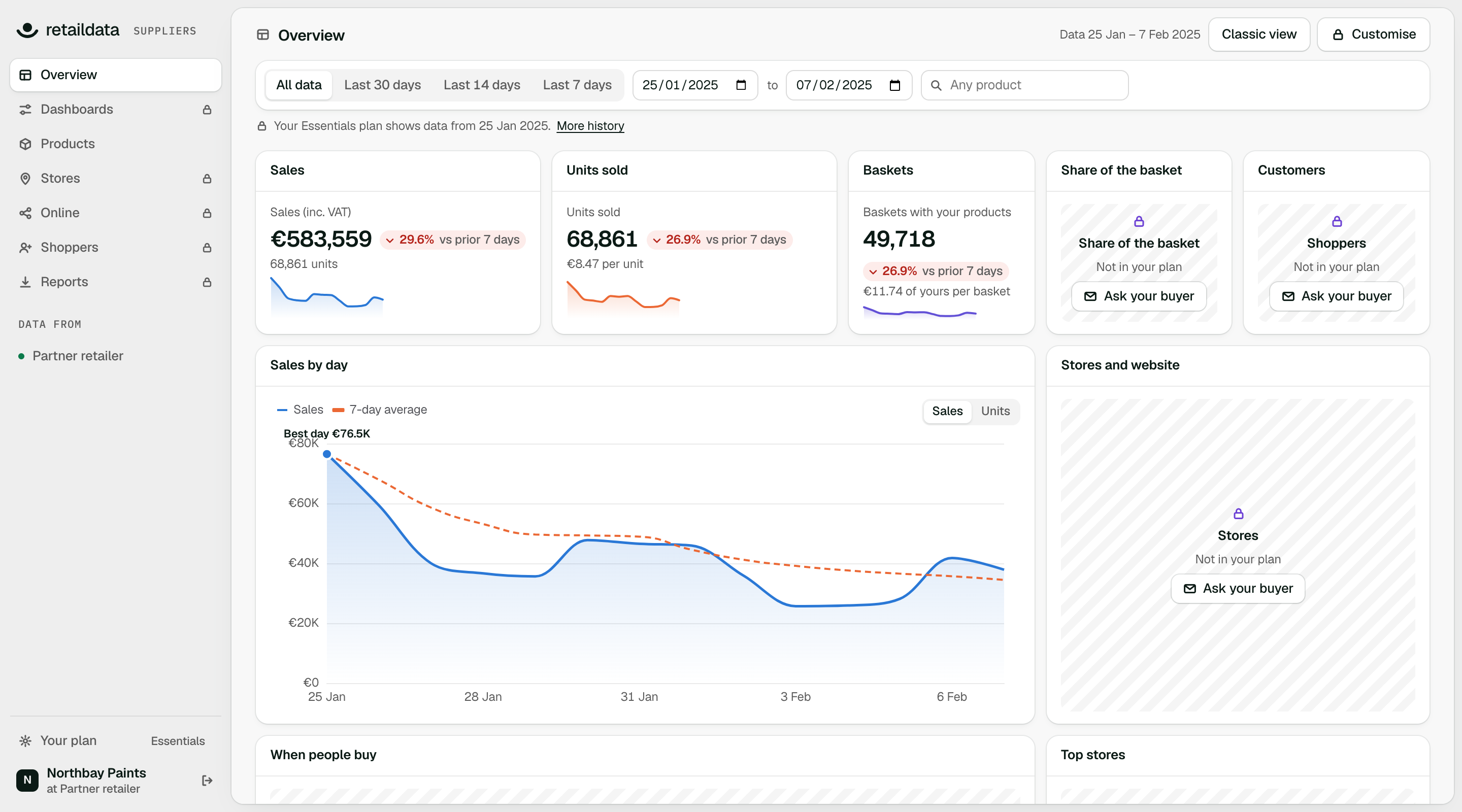
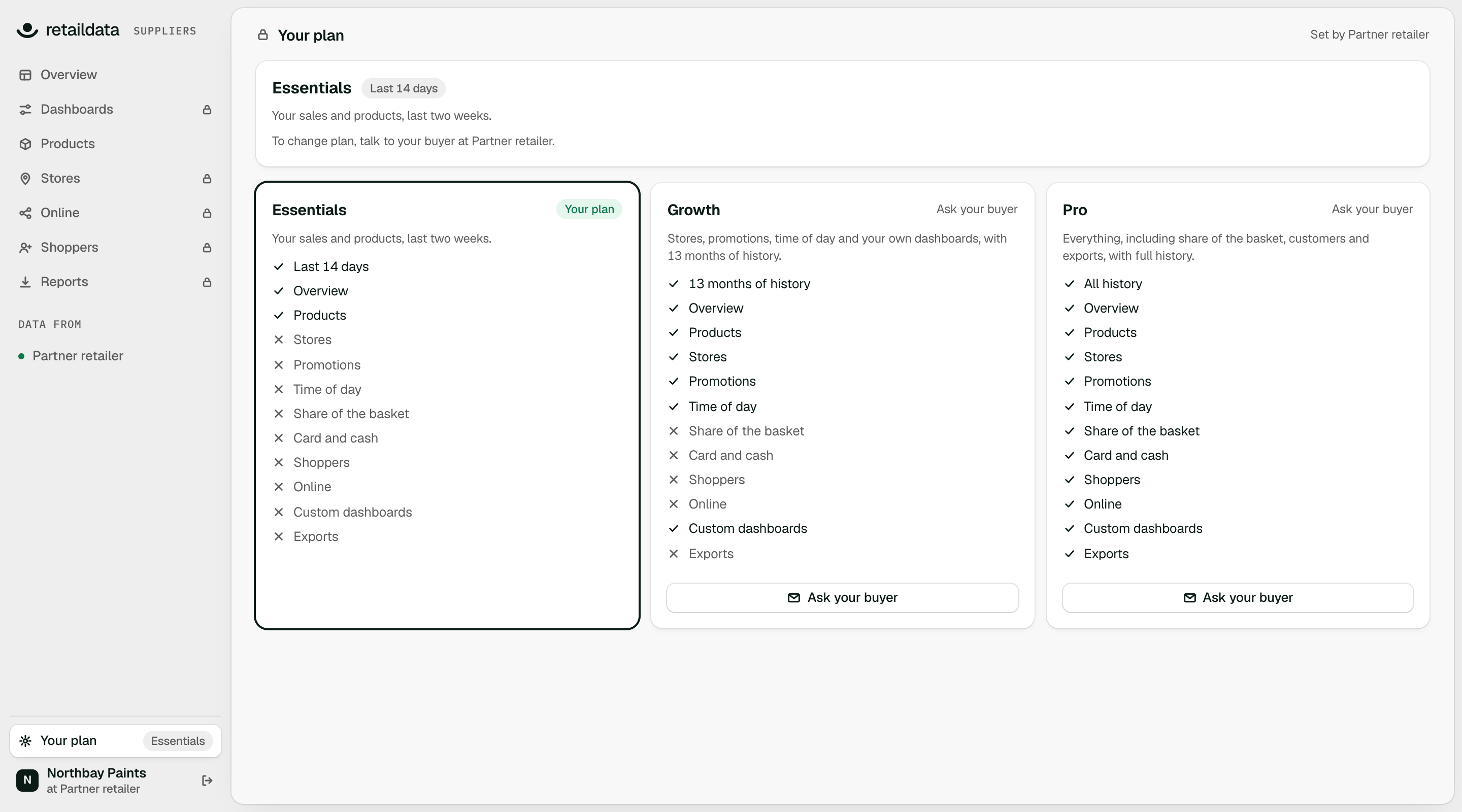
Three steps from files to portal.
Screens above are from the app, with example data.Load your source files
Export from the systems you already run, whichever they are, and drop the files in. The importer works out the columns and remembers them for next time.
- Any POS or payment system that can export a file
- Card and customer details are scrubbed, never stored
- The same sale is never counted twice
Set your plans
Choose which reports each plan includes and how far back it goes. Every supplier starts on one.
Invite suppliers
You approve who joins. They sign in with two-factor and see their own numbers.
Every supplier gets their own view. Only their own.
The answers they ask your buyers for, ready when they sign in. No other supplier, no category totals, no chain totals.
Your data, your plans, your call.
Nothing reaches a supplier unless you put it in their plan. The rule is enforced on our servers, not by hiding a button.
- Plans you define and name
- Exceptions that end on a date you set
- Upgrade requests come to your buyer
- Chain-wide reports for your own team
| Feature | Essentials | Growth | Pro |
|---|---|---|---|
| Overview and products | Included | Included | Included |
| Stores and promotions | Not included | Included | Included |
| Time of day | Not included | Included | Included |
| Shoppers and basket share | Not included | Not included | Included |
| History | 14 days | 13 months | All |
Security and data privacy.
What your IT and data protection teams ask first, answered plainly.
Suppliers see only their own
Checked by the database on every request, not just hidden on screen.
Your data kept separate
Your own database for each environment: Demo, Test and Production.
No card or customer details stored
Card numbers (PCI) and personal details (PII) are scrubbed as your files load.
Shoppers stay anonymous
Suppliers see counts, never people. Small groups are hidden.
Two-factor sign-in
Required on every account, for your team and for suppliers.
Encrypted
In transit and at rest.
Hosted in the EU
Your data stays in the EU, with 7 days of point-in-time recovery.
Every change logged
Approvals, invitations and access changes are recorded.
Running a vendor assessment? Write to hello@getretaildata.com for the full technical detail.
What retailers ask us.
Can a supplier see another supplier's sales?
No. Their own products only: no other supplier, no category totals, no chain totals.
What do you need from us?
Three files: POS transactions, payment transactions and product data with the supplier for each item.
Do you hold our shoppers' personal data?
No names, emails, phone numbers or card numbers. A file containing them is stopped.
Who decides what each supplier sees?
You do. The plans and what is in them are yours to set, and a supplier who wants more asks their buyer.
See what your suppliers would see.
A 30-minute walk through the supplier view, the plans and the security model, with time for your IT and data protection questions.